Input → Output
Inputs You Provide
- Telemetry ZIP (WinTAX4, MoTeC, Pi Toolbox) or Excel manual entries
- Track name + number of laps
- Target hot pressures (FL/FR/RL/RR)
- Ambient temp (and tire temp if available)
Outputs You Get
- Optimal cold pressures (FL/FR/RL/RR)
- Confidence / data quality indicator
- Prediction intervals (range of likely values)
- Grid bleed suggestion for race start
Two Workflows, One Tool
Whether you're preparing for qualifying or managing race stints, TPP has you covered
Short Runs — Qualifying & Practice
Upload telemetry from short runs (5-10 laps) and the ML model learns how pressures build up on each track. Then predict the optimal cold starting pressures for any target hot pressure and lap count.
- ML-based prediction trained on your telemetry data
- Per-corner cold pressures with confidence intervals
- Track-specific — each circuit gets its own model
- Grid bleed calculation for formation lap correction
Long Runs — Race Stints & Endurance
For race stints and endurance events where pressures stabilize, Race Tires Management tracks compound usage, analyzes ΔP vs ΔT trends, and auto-detects plateau conditions. Ideal when using tyre heaters.
- Stabilized pressure analysis from long-run data
- Auto-detect plateau when 97% buildup is reached
- K-factor calculation (thermal gain) via linear regression
- Driver thermal profiles for endurance tire set planning
Who It's For
Not a generic street-car tire pressure calculator.
Key Features
Race Tires Management
Track tire compounds with a configurable dropdown, visualize pressure build-up with ΔP vs ΔT and ΔP vs Laps charts, and auto-calculate K factors (thermal gain coefficients) via linear regression. Includes an OptimumG-based pressure calculator.
Auto-Detect Telemetry Format
Drop a ZIP archive and the app automatically identifies the telemetry software (WinTax4, WinDarab, MoTeC) by sampling file contents with majority vote. No manual configuration needed — just upload and process.
Prediction History & Verification
Save every prediction with driver, event, session, and tire condition metadata. Filter by track, driver, or date. After the session, add actual hot pressures and verify predictions against real-world results with color-coded accuracy feedback.
Plateau Detection
Automatically detects when tire pressures stabilize during a run (97% of total build-up reached). Stabilized runs are auto-saved to your Prediction History as verified baselines — reliable reference data without any manual work.
Track Relations Matrix
Generate cross-track coefficients that transfer pressure knowledge between circuits. Uses bilinear interpolation within the data range and linear extrapolation outside it, so you get reliable starting points even for tracks with limited data.
Runsheet Editor
Interactive editor for manual pressure data entry. Import Excel files, edit cells inline, manage track/event/driver lists, auto-save with undo/redo, and export back to Excel. Works for teams without TPMS telemetry.
Pressure Unit Toggle
Switch between bar and PSI with a single click. All pressures across the app convert instantly — inputs, outputs, charts, and history. Internal calculations stay in bar for precision.
GPS Track Layout
Automatic GPS track map from telemetry data with numbered corner markers, start/finish flag, and track statistics (length, corners, lap time). Visual reference for track-specific analysis.
How It Works
Three steps from raw data to race-ready pressures
Data Input
Upload telemetry ZIP or fill Excel template with your pressure notes.
Processing
Data cleaning, filtering, and statistical model training per track.
Prediction
Cold pressures + grid bleed ready for qualifying, plateau analysis for race stints.
See It in Action
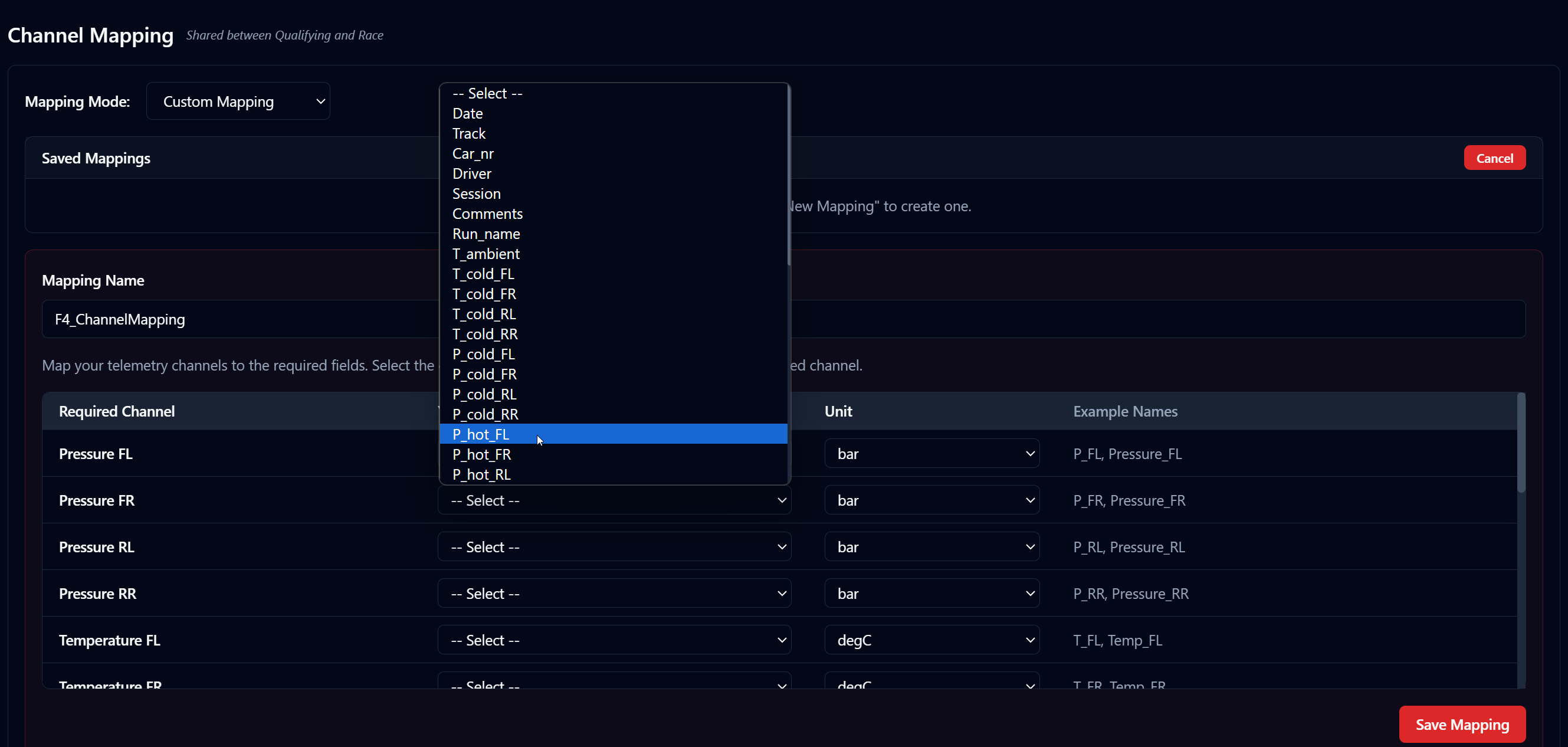
Vehicle & Tire Selection
Manage pairs, upload telemetry archives, track processing status
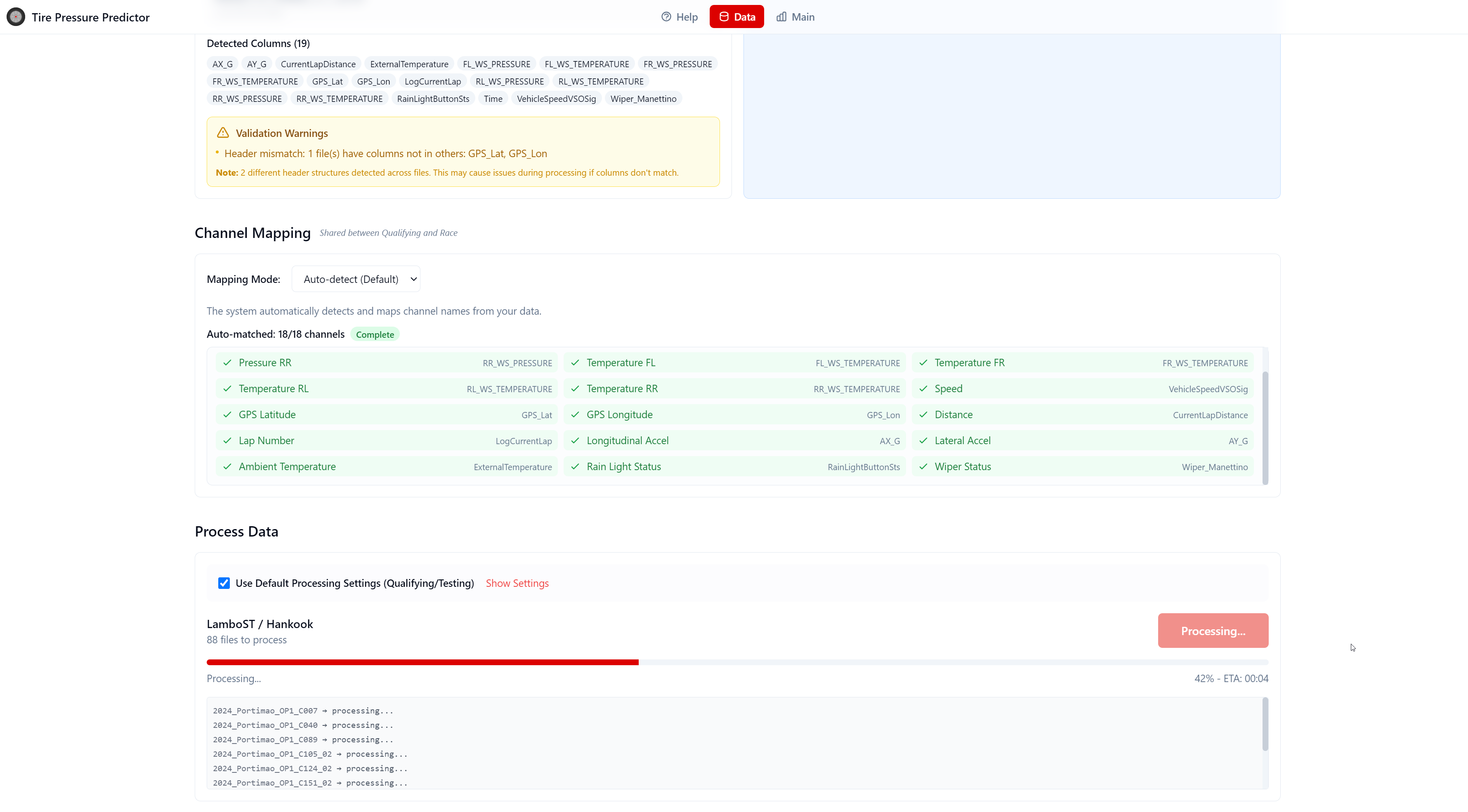
Processing & Channel Mapping
Auto-detect telemetry format, map channels, named settings
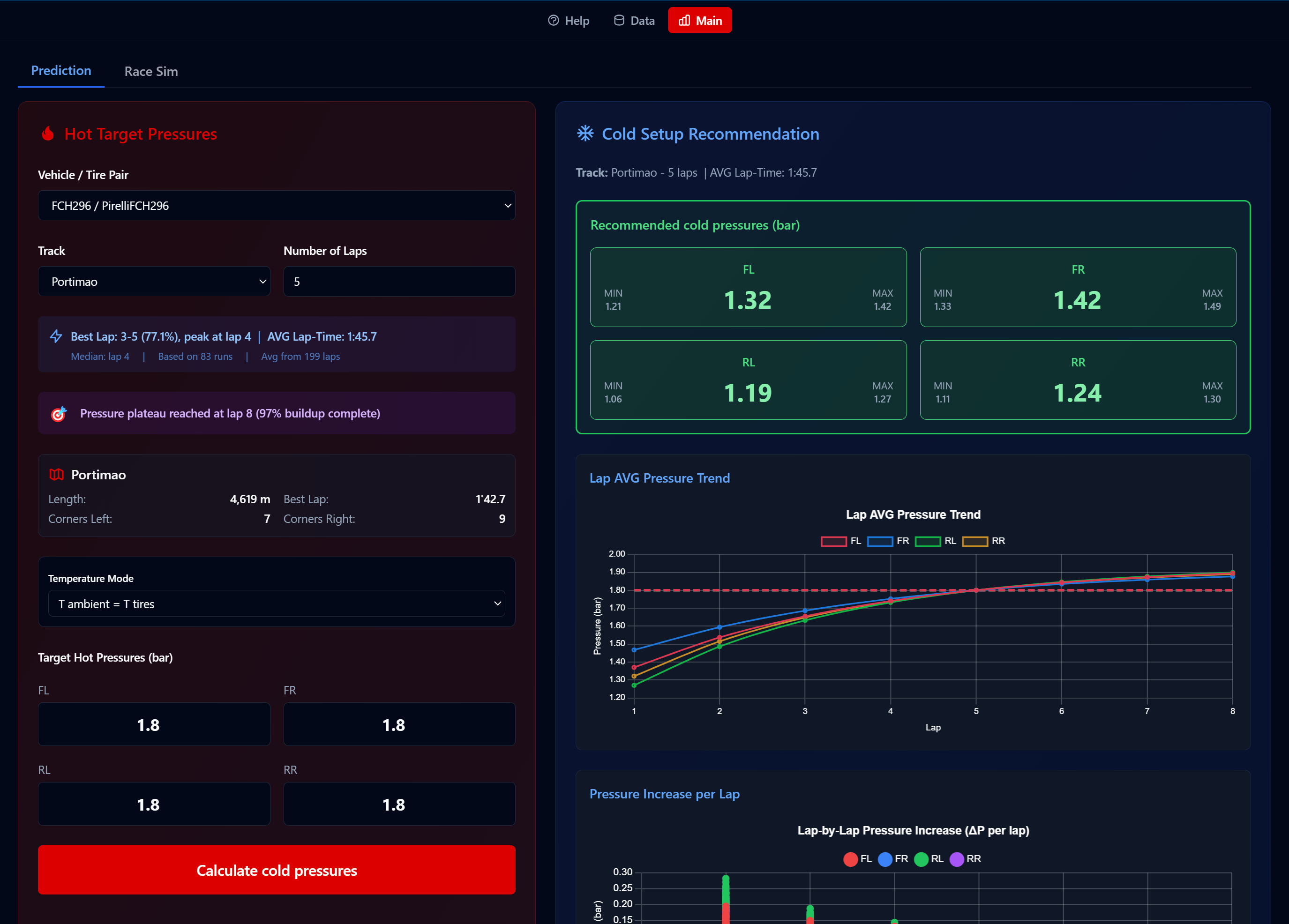
Prediction (Dark Mode)
Cold pressures with confidence intervals and pressure trend charts
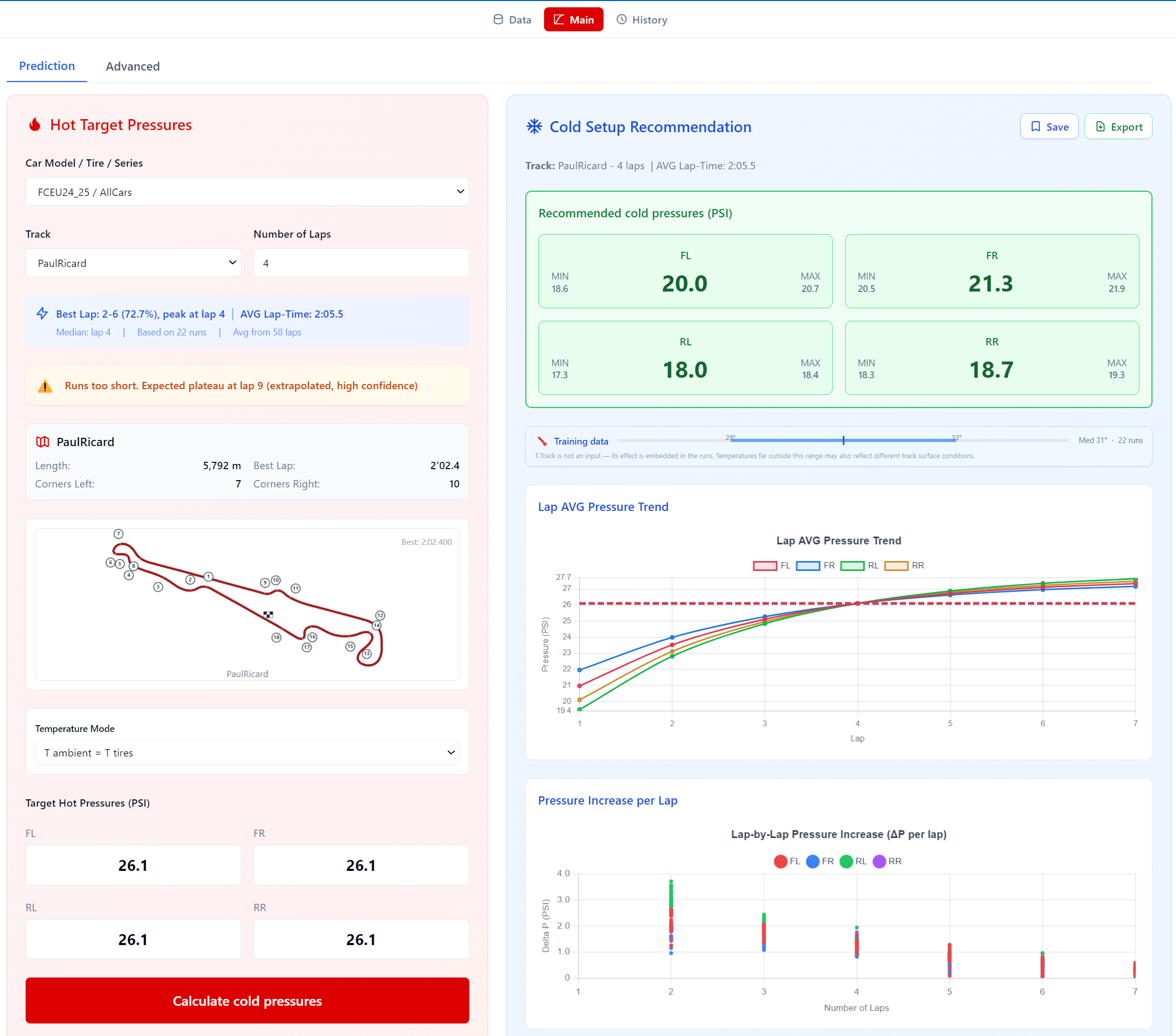
Prediction (Light Mode, PSI)
Switch units and theme with a single click
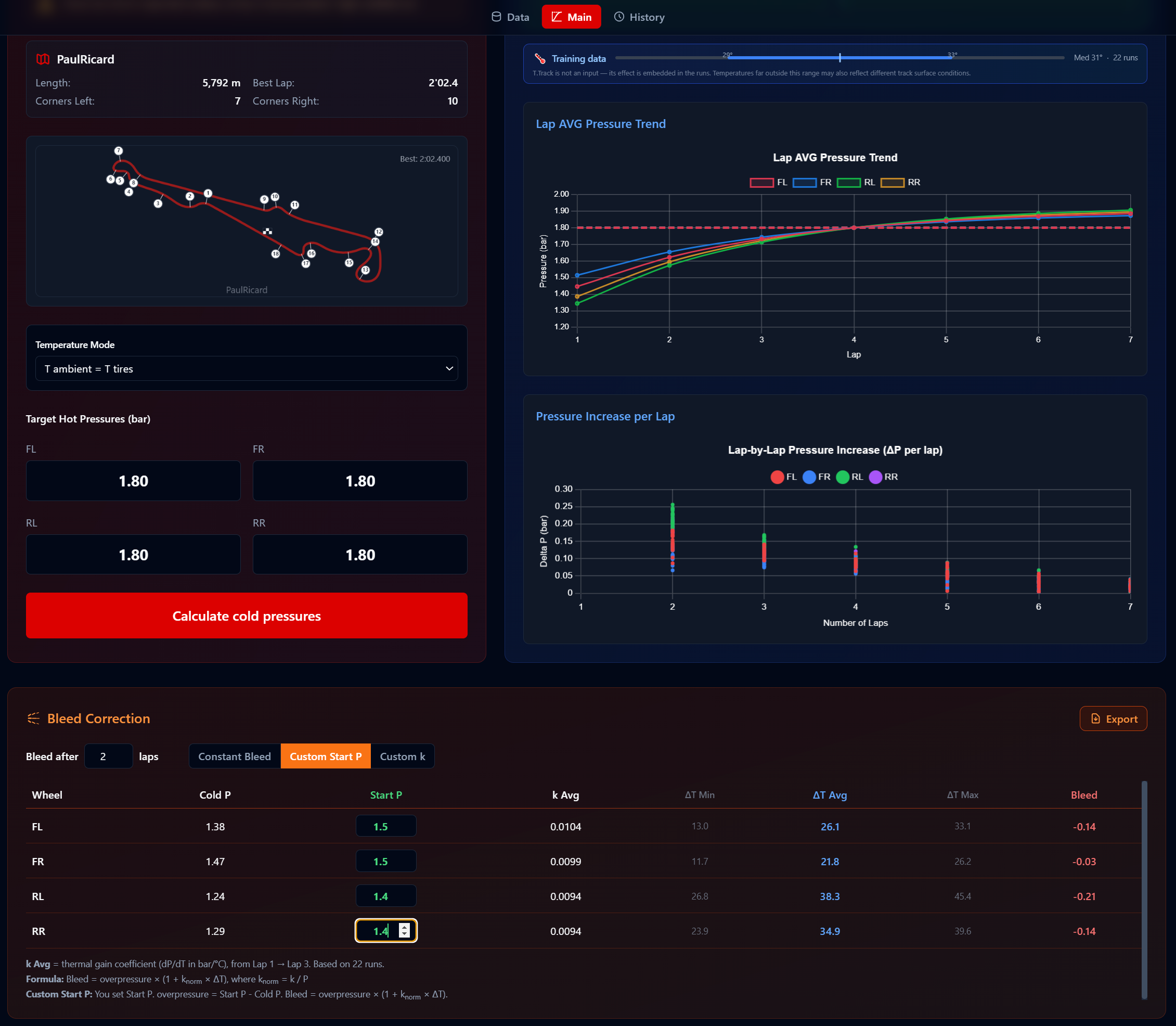
Bleed Correction
Thermal gain coefficients and grid bleed for race start
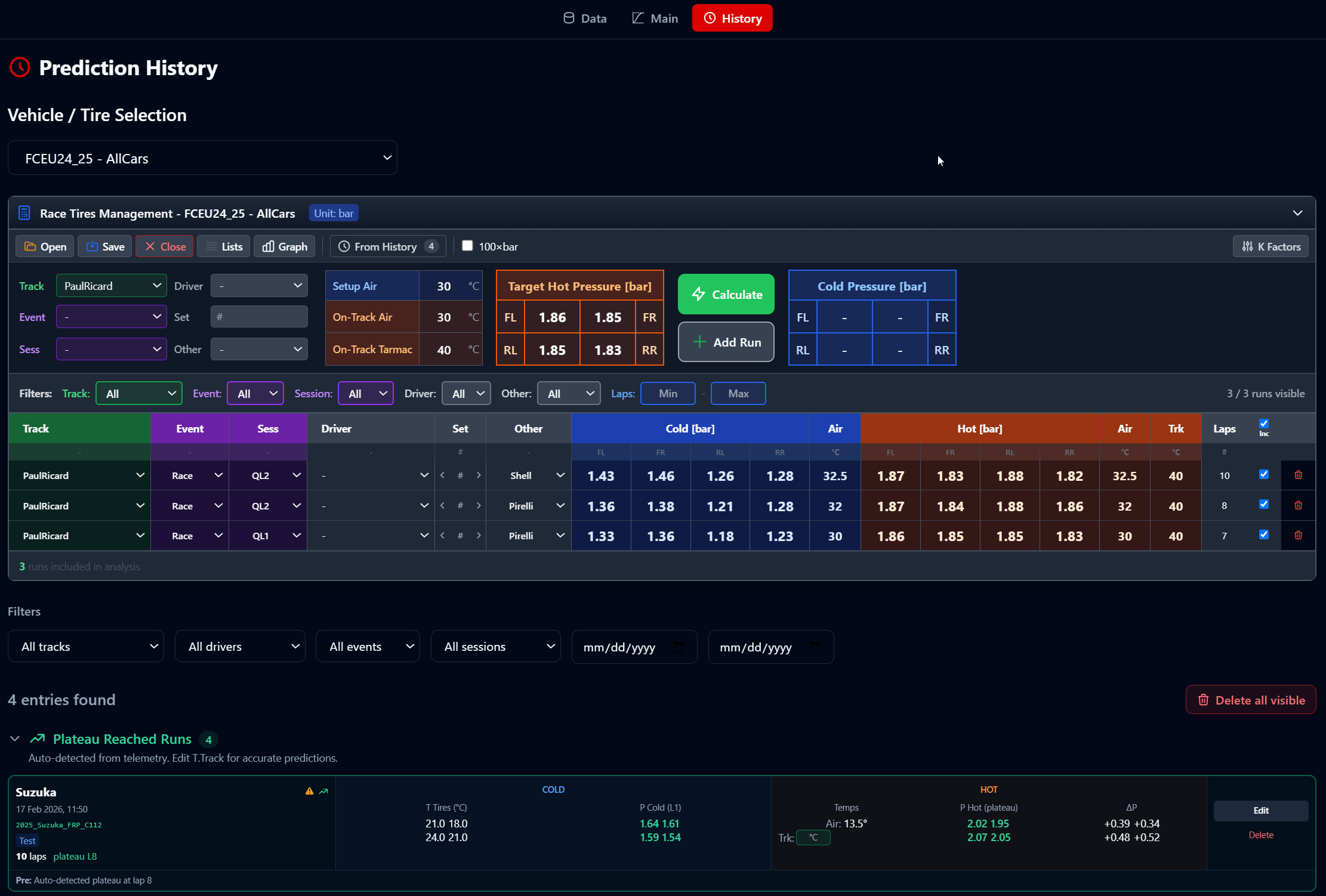
History & Race Tires
Save predictions, verify results, manage race tire setups
FAQ
What data do I need to start?
Can I use it without TPMS?
Does it work for long runs vs qualifying?
How do I get started?
What is Race Tires Management?
What is Plateau Detection?
Can I transfer pressure data between tracks?
More details? Read the Technical Guide
Request a Demo
See the Tire Pressure Predictor in action
Or email directly: lvillaengineering@gmail.com
Looking for more motorsport tools? Visit motorsportsoftware.com