Input

Telemetry ZIP or linked folder (WinTAX4, WinDarab, MoTeC) · Target hot pressures · Track & laps · Event Conditions (T.Ambient, T.Track)

Output

Optimal cold pressures per corner · Temperature corrections (ΔT.Amb, ΔT.Track, T.Tires@Press) · Confidence intervals · Formation lap bleed

Training Runs Upload telemetry → filter on scatter plot by temperature and lap time → cold pressures with 3 decomposed temperature corrections → formation lap bleed
Long Runs & Endurance Tire Pressure Logs with ΔP vs ΔT charts, K-factor regression, OptimumG calculator, plateau auto-save

Features

Telemetry — Data

Manage vehicle/tire pairs, upload telemetry, and let the app handle the rest. Auto-detection identifies your software format, and linked folders keep your data in sync without creating ZIP archives.

Auto-detect telemetry format

Drop a ZIP or link a folder — the app identifies WinTax4, WinDarab, or MoTeC from file content with confidence percentage.

Linked folder

No ZIP needed. Link a CSV folder directly — it auto-scans when you switch pairs and remembers the path across sessions.

Pairs table

Training Runs, Plateau Runs, and Session Logs counts at a glance. Export/import configurations as .tpp files across PCs.
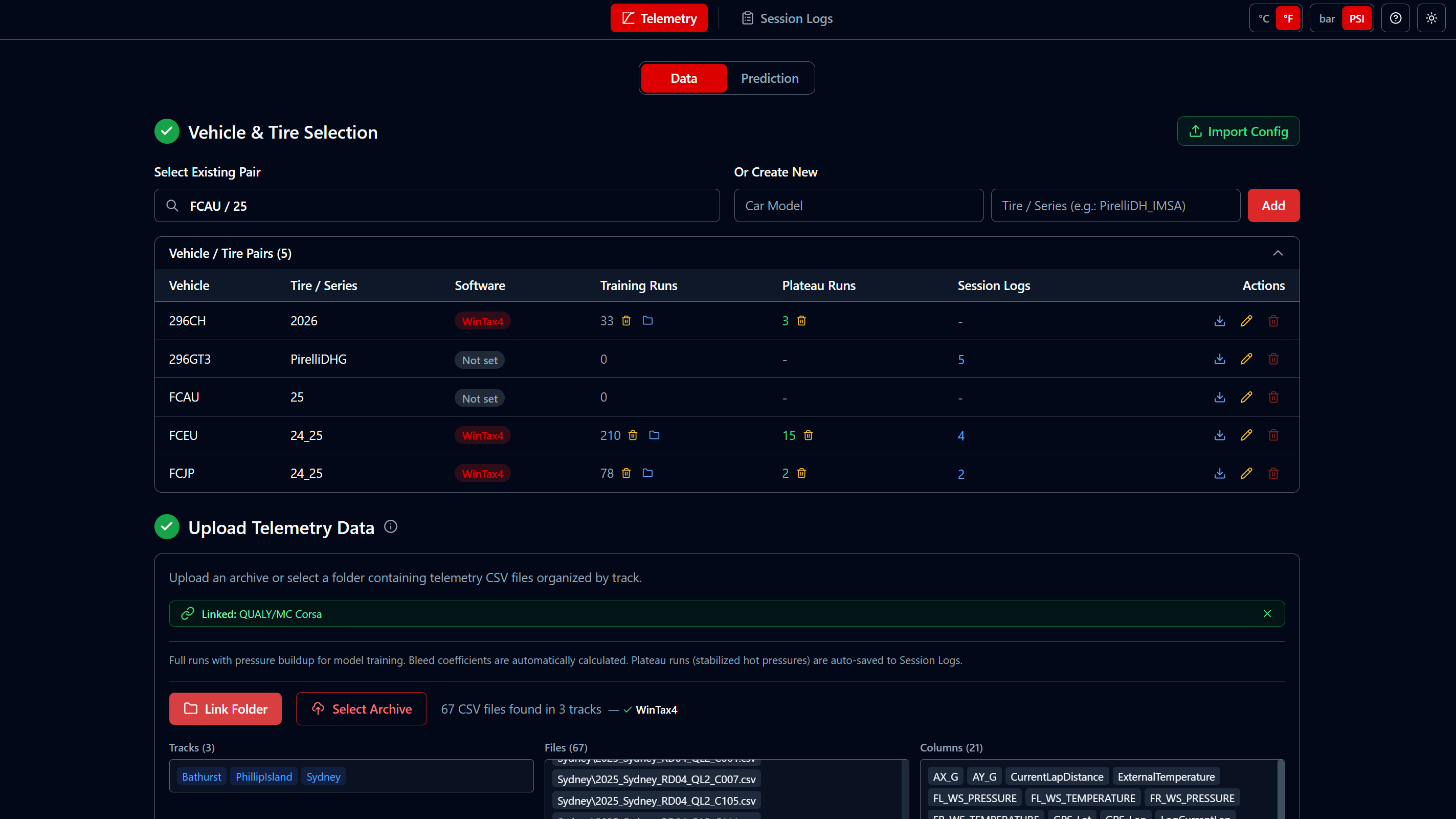
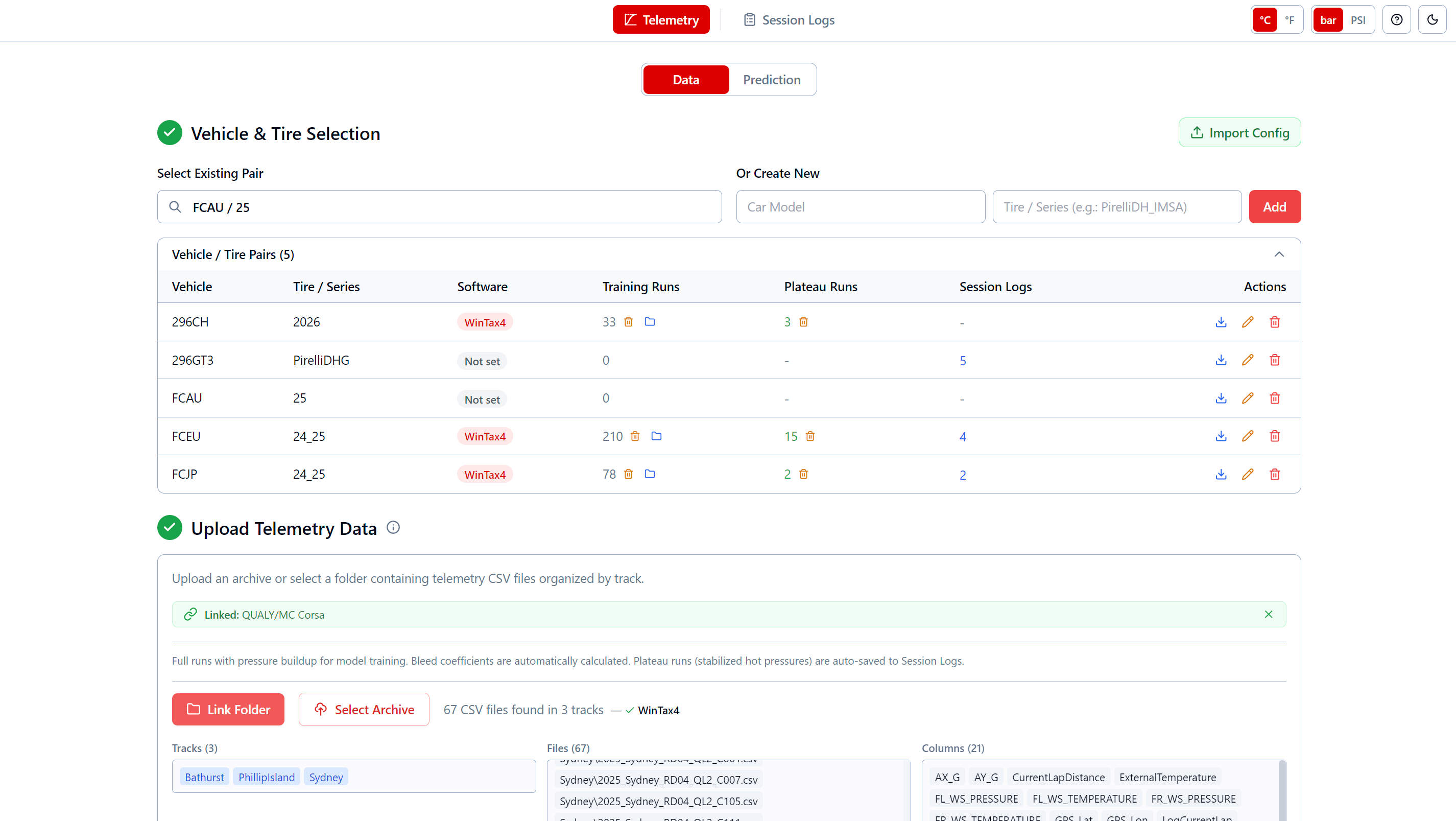
Data tab with pairs table and linked folder
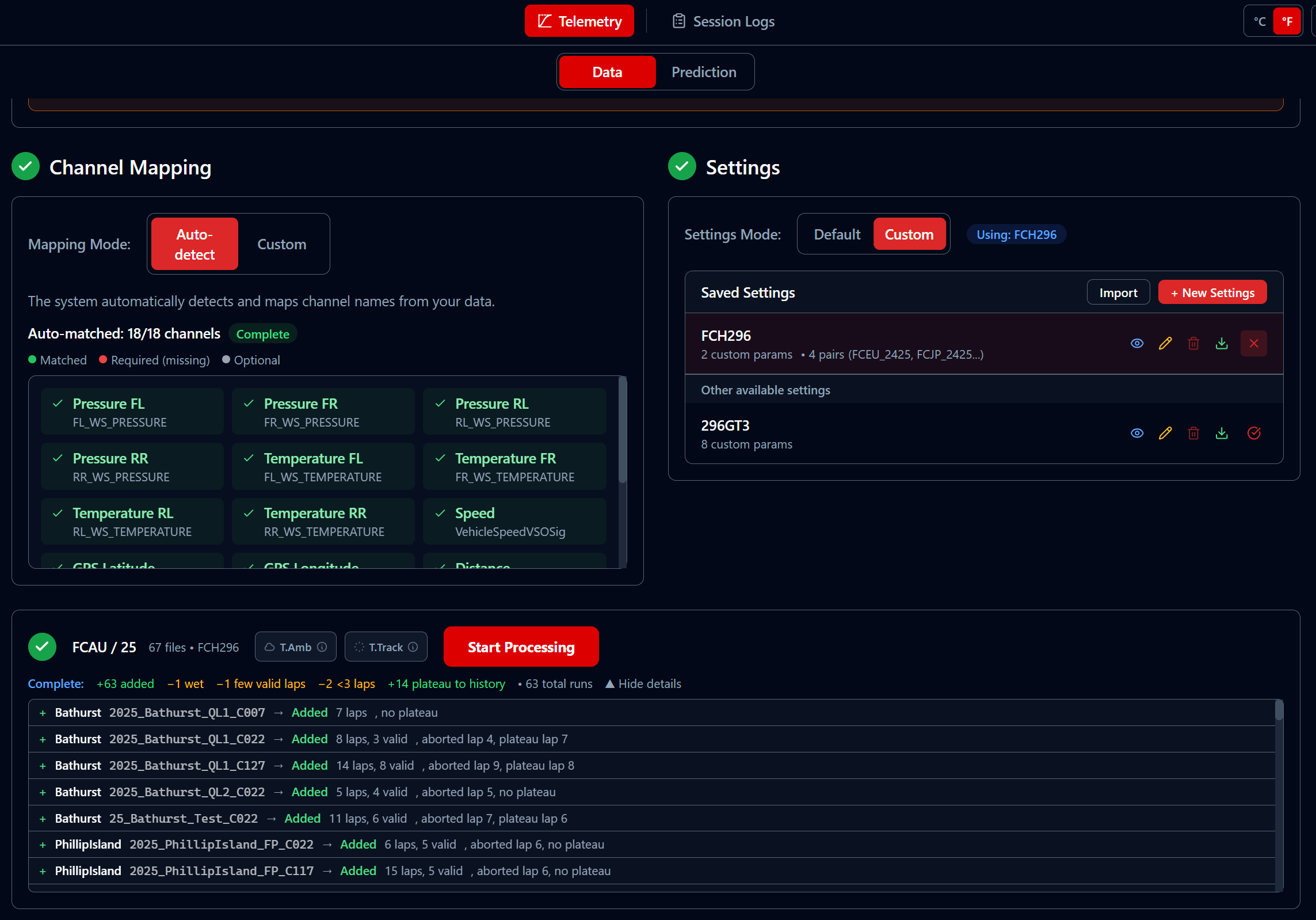
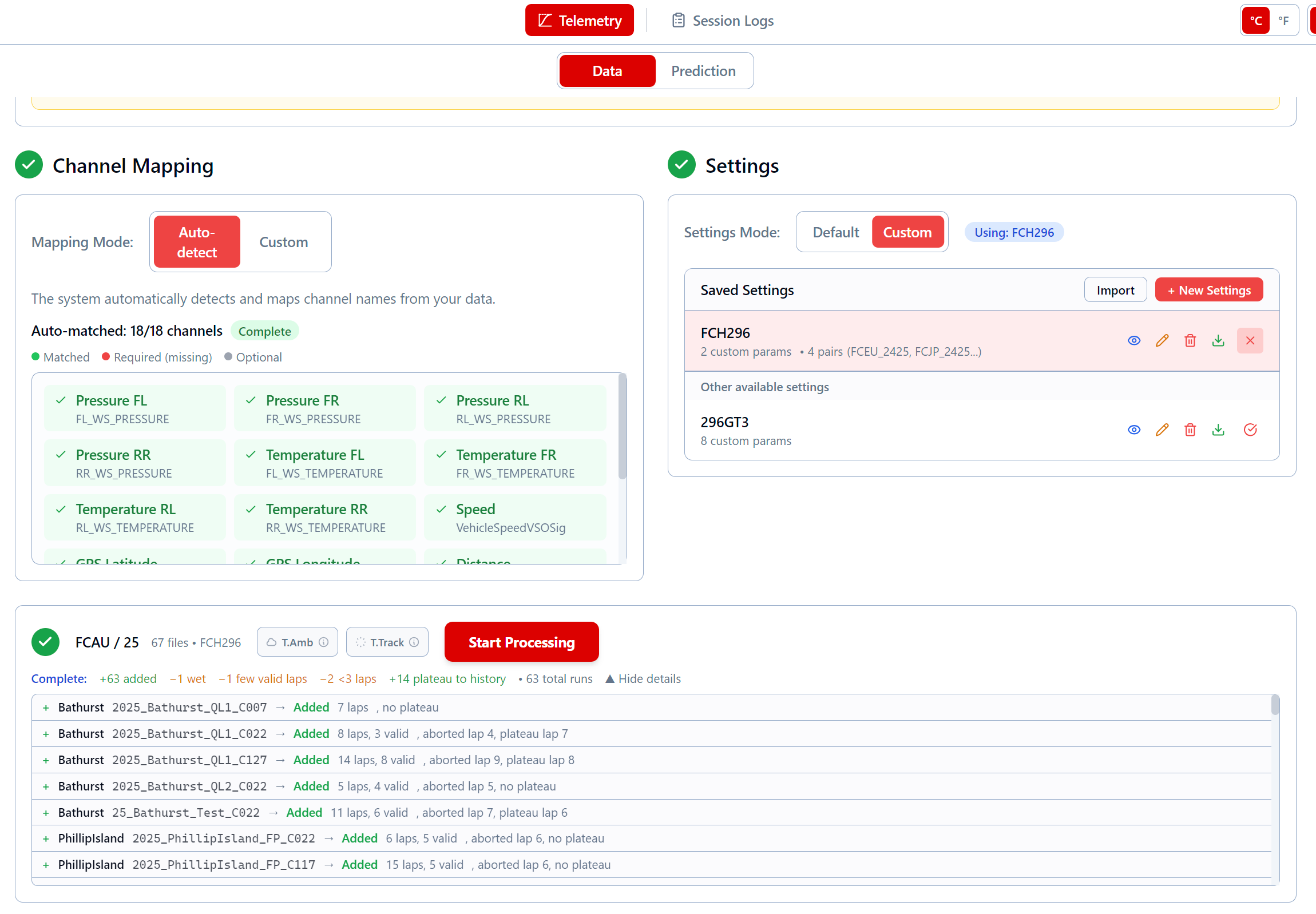
Channel Mapping and Processing with run details

Processing & Channel Mapping

Channel mapping auto-matches your telemetry columns. Named settings let you save and reuse processing configurations across pairs. Per-run details show exactly what happened.

Channel mapping

Auto-detect or manual mode with color-coded match status. Save and reuse mappings across vehicle/tire pairs.

Named settings

Save processing configurations, assign them to multiple pairs, import/export as .tpp-settings files.

Per-run processing details

Every run shows its result: added, discarded (wet, prewarmed, aborted), plateau lap, and aborted lap number.

Cold Pressure Prediction

The full prediction workflow: filter training runs on the scatter plot, get per-corner cold pressures with confidence intervals, and see how pressures build up over laps.

Run Filter scatter plot

Drag to select by T.Ambient and lap time, step arrows for ±0.5°C / ±0.5s. Runs Summary Stats with per-run details, laps histogram, and extrapolation warning.

Temperature corrections

Three decomposed corrections — ΔT.Amb, ΔT.Track, T.Tires@Press — using OptimumG gas law, each with per-wheel pressure deltas.

Cold pressures & charts

MIN / P50 / MAX confidence intervals, pressure trend charts, GPS track layout. Switch bar/PSI and °C/°F instantly.

ΔP analytics

Pressure buildup per lap, ΔP vs T.Ambient, and ΔP vs Best Lap Time — see how conditions and driver pace affect pressure behavior.
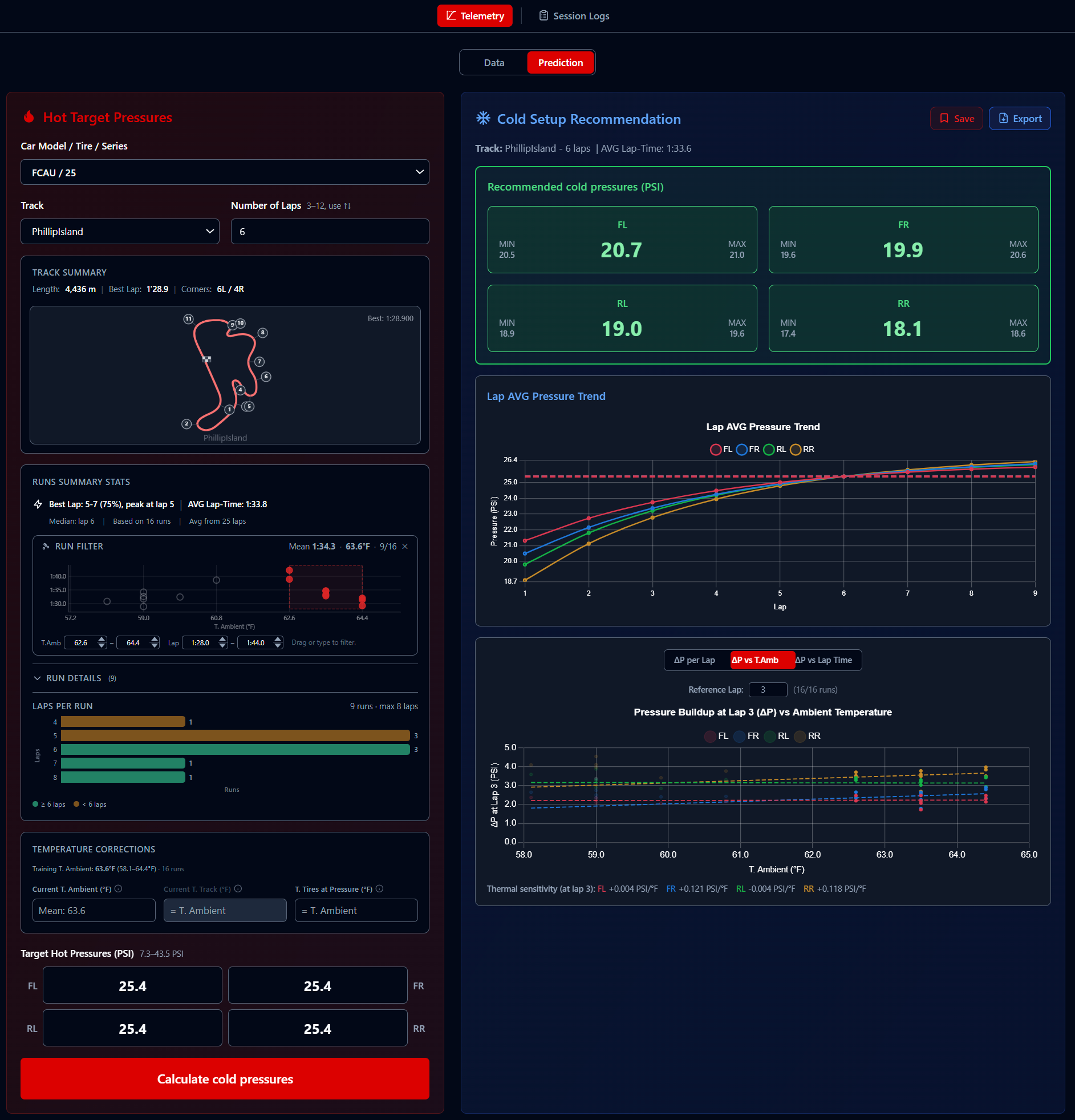
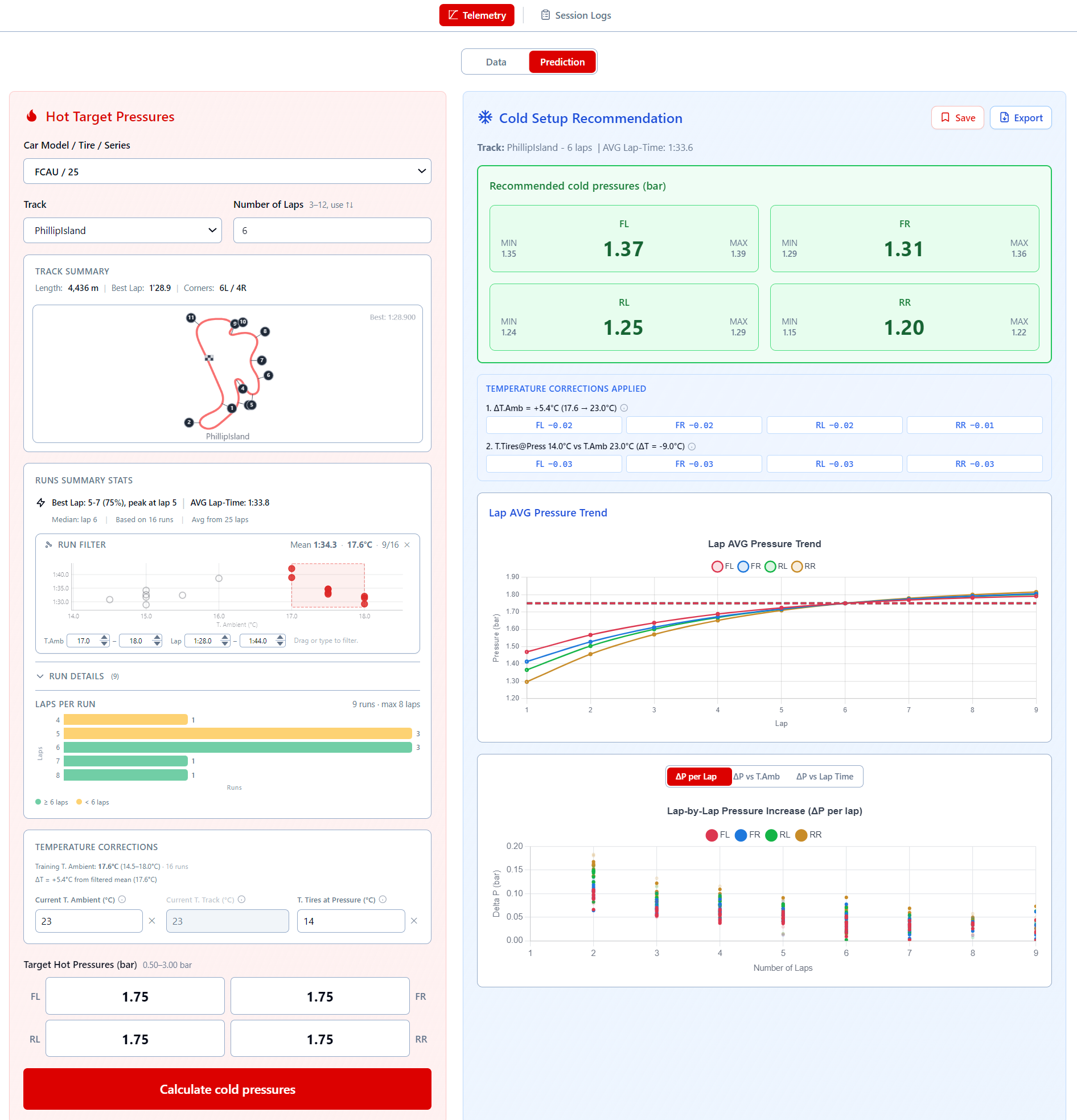
Full prediction view with Run Filter, cold pressures, and charts
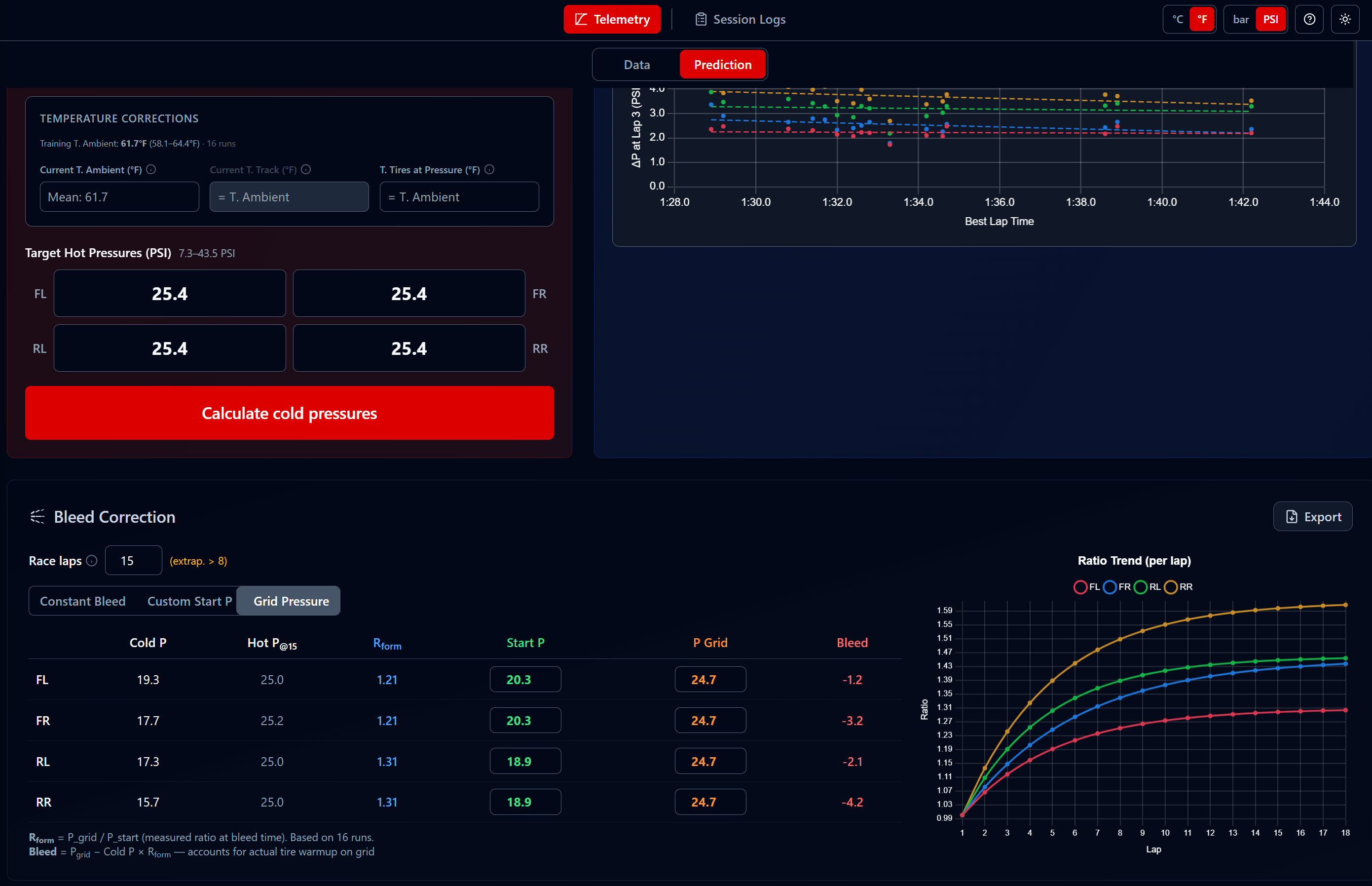
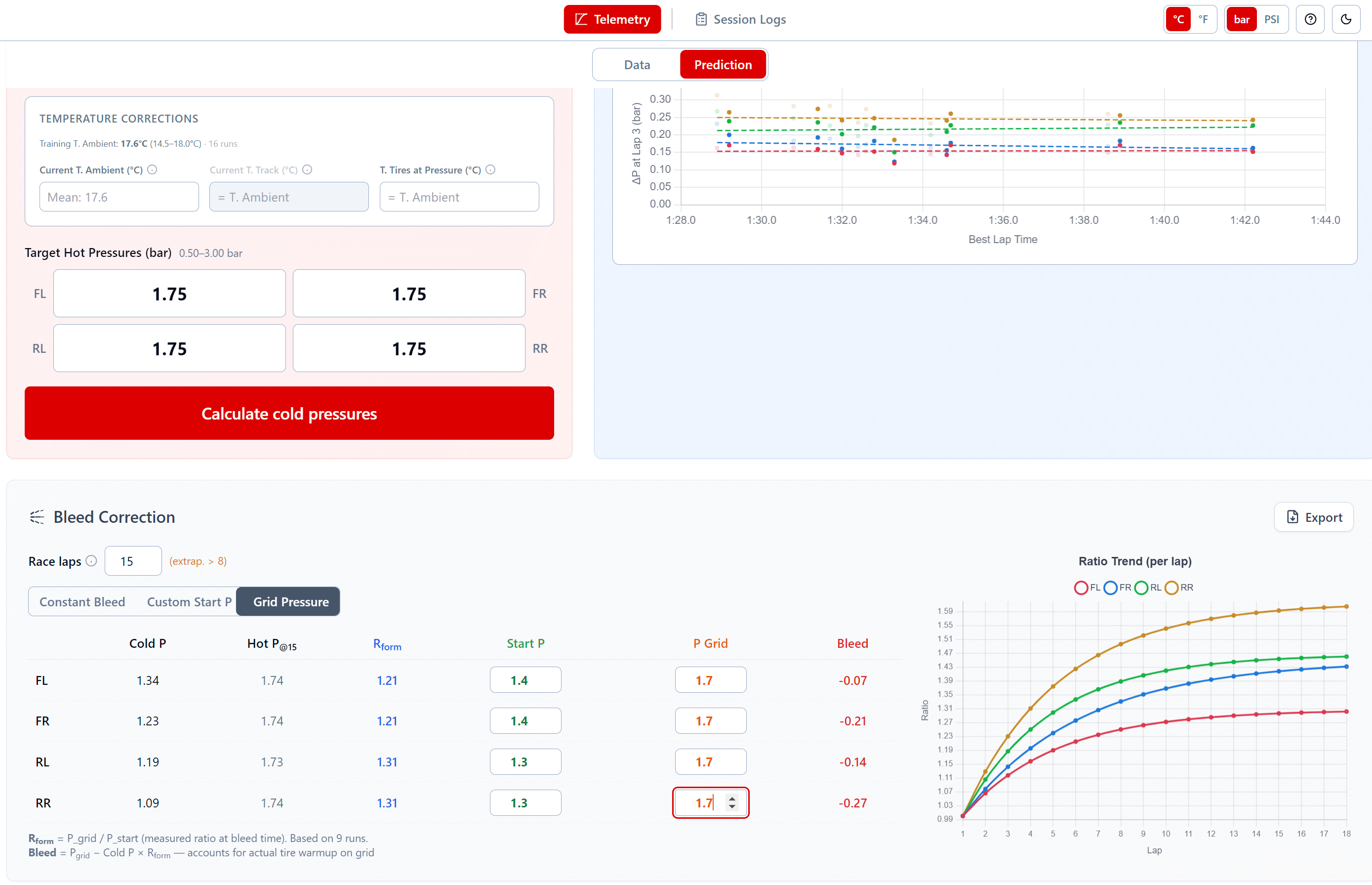
Bleed Correction with Grid Pressure mode and Ratio Trend chart

Bleed Correction & Run Analytics

Exponential pressure build-up model calculates per-wheel expansion ratios from your telemetry. Set race laps and formation laps — the system tells you how much to bleed on the grid.

Per-wheel expansion ratio

R = P_hot / P_cold computed from real data. Ratio Trend chart shows per-wheel R over laps with formation lap marker.

Three bleed modes

Constant Bleed (set desired bleed), Custom Start P (set grid pressures), and Grid Pressure (enter measured pressures from practice).

Ratio Trend chart

Per-wheel R over laps with formation lap marker — visualize exactly when and how much pressure builds up.

Session Logs & Tire Pressure Logs

Tire Pressure Logs tracks compounds across race weekends with a built-in OptimumG pressure calculator. Plateau detection auto-saves stabilized runs as verified baselines.

Tire Pressure Logs

Cold/hot pressures, compounds, air and track temperature per run. K-factor columns show per-wheel thermal expansion.

Pressure calculator

OptimumG gas law formula for hot/cold conversion. Enter target conditions, get recommended cold pressures instantly.

Plateau auto-save

Stabilized runs (97% buildup) auto-detected from telemetry and saved as verified baselines. Track Relations Matrix transfers pressure knowledge between circuits.
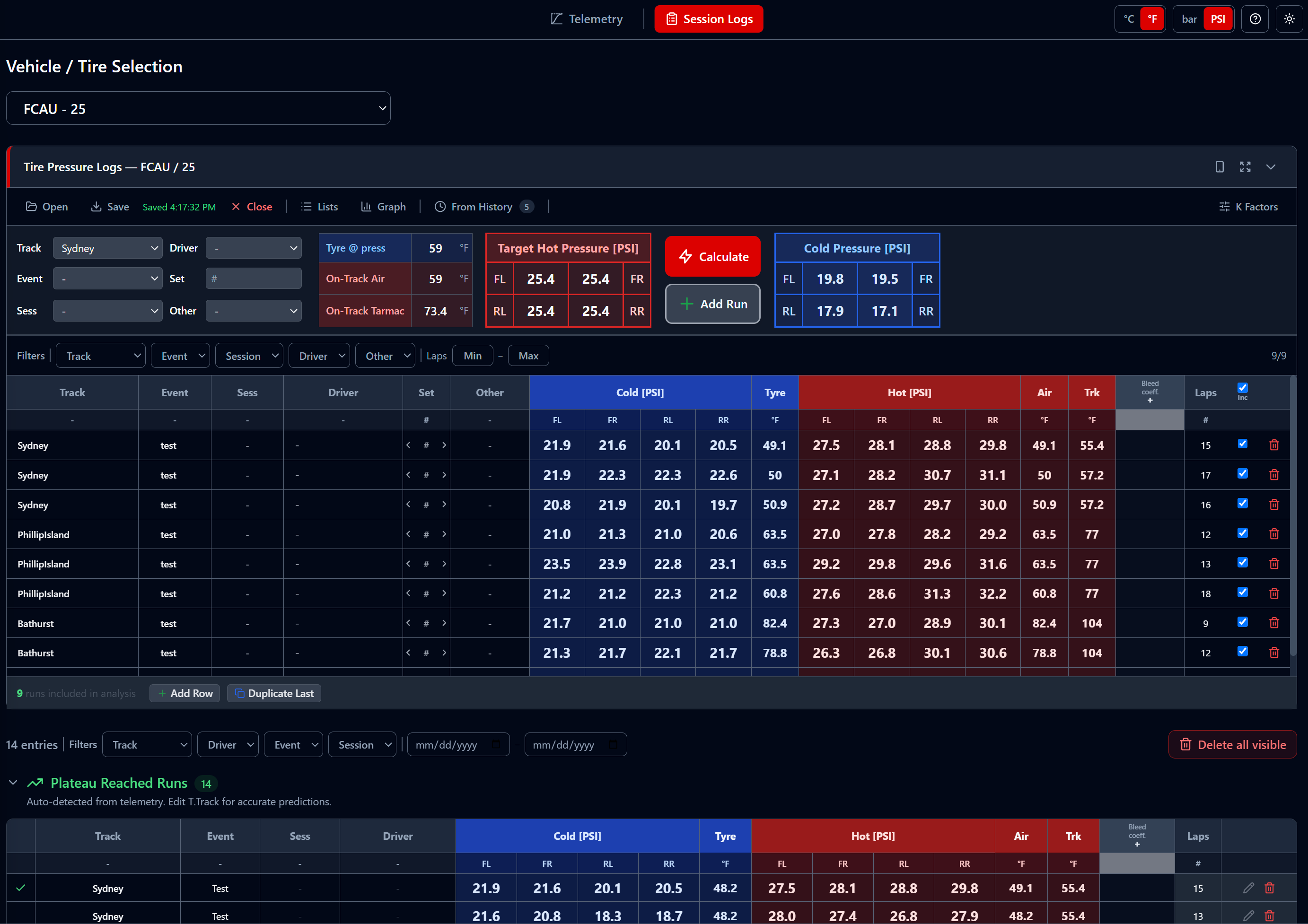
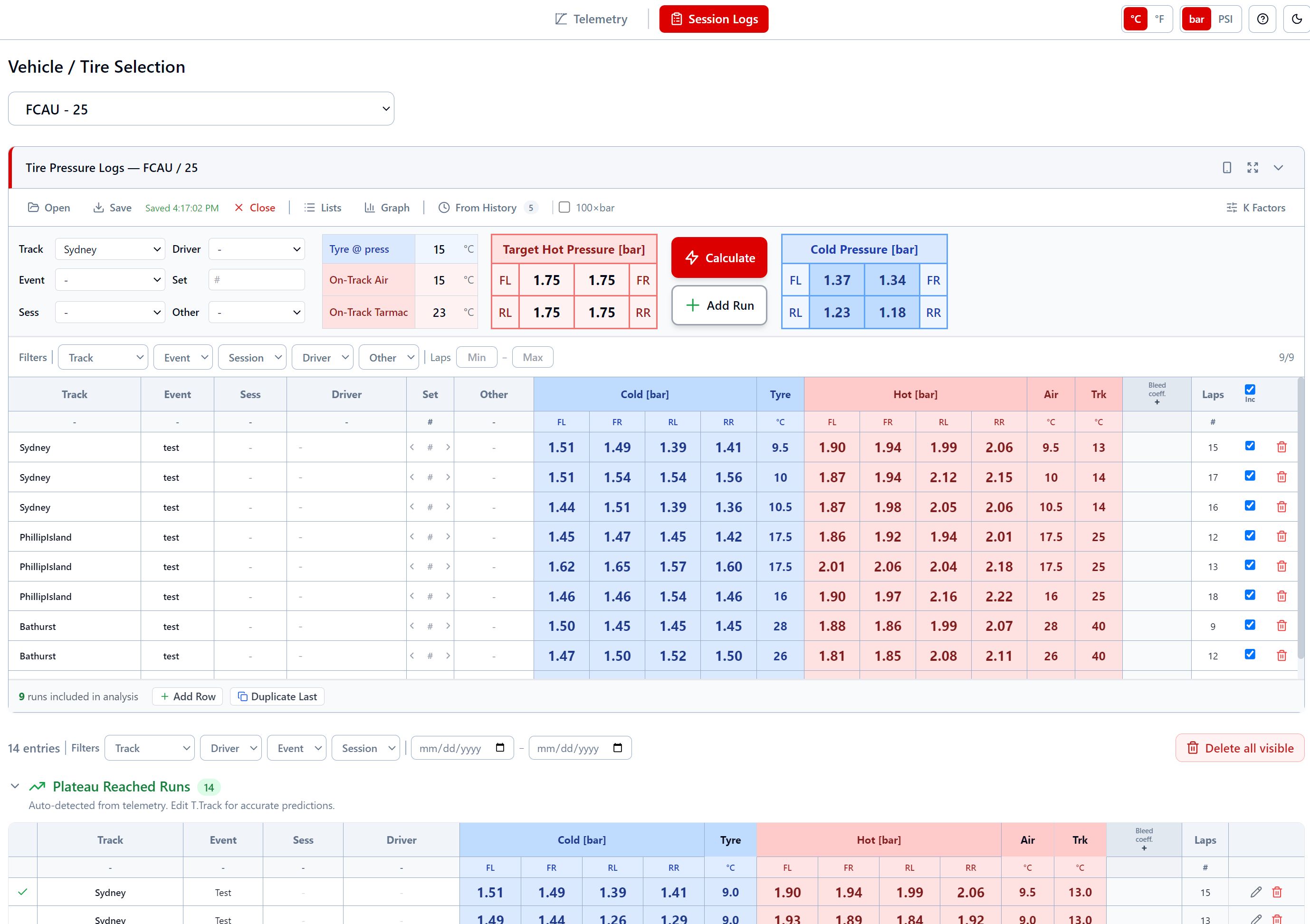
Tire Pressure Logs with calculator and Plateau Reached Runs

FAQ

How do I get started?
Download the app below — fill in the form and you'll get started right away. A license key will be sent to your email after verification.
What data do I need?
Telemetry exports (ZIP or linked folder from WinTAX4, WinDarab, MoTeC). More sessions = better predictions.
How does the Run Filter work?
The Run Filter is an interactive scatter plot showing training runs by ambient temperature (x-axis) and best lap time (y-axis). Drag to select a region, or use step arrows for ±0.5°C and ±0.5s precision. Only selected runs feed into the prediction — exclude outlier sessions or match race-day conditions. Runs Summary Stats below the filter show per-run details, a laps histogram (green = enough laps, amber = fewer), and a warning when your target laps exceed available data.
How do temperature corrections work?
When current conditions differ from your training data, the predictor applies up to three corrections using the OptimumG gas law formula: (1) ambient temperature change (ΔT.Amb), (2) track surface temperature change (ΔT.Track), and (3) tire setup temperature — when tires are pressurized at a different temperature than ambient (T.Tires@Press). Each correction shows per-wheel pressure deltas. A color-coded bar indicates how large the temperature difference is.
How does the bleed correction work?
The bleed correction uses an exponential pressure build-up model fitted to your telemetry. Per-wheel expansion ratios (R = P_hot / P_cold) are computed from real data. Set race laps and formation laps — the system calculates R at the formation lap point and the bleed needed per wheel. Three modes: Constant Bleed (set desired bleed, get start pressure), Custom Start Pressure (set grid pressures, get expected bleed), and Grid Pressure (enter measured pressures from a practice grid simulation).
Can I transfer pressure data between tracks?
Yes. The Track Relations Matrix generates cross-track coefficients that let you transfer pressure knowledge between circuits. It uses bilinear interpolation within the data range and linear extrapolation outside it, providing reliable starting points even for tracks with limited data.
Does it work for long runs vs qualifying?
Yes. Training runs (qualifying, practice) feed the ML model for cold pressure prediction. Long runs and race stints are handled by Tire Pressure Logs, which tracks stabilized pressures and calculates K-factors per wheel.
What is Plateau Detection?
Plateau Detection automatically identifies when tire pressures have stabilized during a run (reached 97% of total build-up). These stabilized runs are auto-saved to your Session Logs as verified baselines, giving you reliable reference data without manual work.
Can I use it without TPMS?
Yes. If you record pressures manually (pre-session cold, post-session hot), you can use the Tire Pressure Logs in the Session Logs tab to track compounds, calculate K-factors, and get cold pressure recommendations.
What is Tire Pressure Logs?
Tire Pressure Logs lets you track tire compounds, build ΔP vs ΔT charts with trend lines, and auto-calculate K-factor regression per wheel. It includes a pressure calculator with OptimumG gas law formula for hot/cold conversion. Free-text cells with autocomplete and autosave.

More questions? Email us

Download the App

Fill in the form and start using Tire Pressure Predictor

A license key will be sent to your email after verification. Includes a 6-month free trial.

Or email directly: lvillaengineering@gmail.com

Looking for more motorsport tools? Visit motorsportsoftware.com